|
|
| Line 23: |
Line 23: |
|
| |
|
| [[Image:lawful_agency_shot.PNG]] | | [[Image:lawful_agency_shot.PNG]] |
|
| |
| ==List of Parameters==
| |
|
| |
| * [[Parameter: Network Operator|Network Operator]]
| |
| * [[Parameter: LI_Name|Name]]
| |
| * [[Parameter: FTP Server Address|FTP Server Address]]
| |
| * [[Parameter: FTP User Name|FTP User Name]]
| |
| * [[Parameter: FTP Server Password|FTP Server Password]]
| |
| * [[Parameter: FTP Timeout|FTP Timeout]]
| |
| * [[Parameter: IRI Records Queue Length|IRI Records Queue Length]]
| |
| * [[Parameter: IRI Upload Mode|IRI Upload Mode]]
| |
|
| |
| Available parameter:
| |
| * NWO (Network Operator) Identifier: An internationally unique identifier that represents the network operator, access provider or service provider using the [[Tmedia]] equipment
| |
|
| |
|
| |
|
| |
|
| |
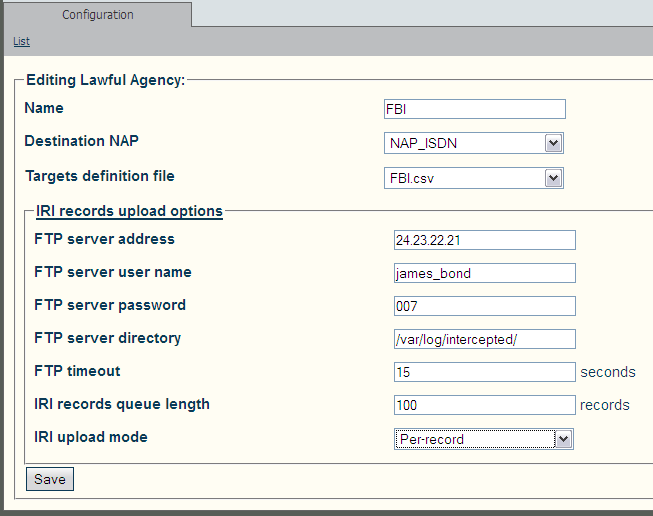
| Each Law Enforcement Agency has the following parameters:
| |
| * Name
| |
| * .csv file that contains the list of targets to intercept
| |
| * NAP to use for making outgoing calls to Law Enforcement Agencies, carrying audio for intercepted call legs
| |
| * Configuration of FTP/SFTP client for uploading IRI (Intercept Related Information) records to Law Enforcement Agency's FTP or SFTP server:
| |
| ** IP address or domain name of the FTP/SFTP server
| |
| ** User name to use for FTP/SFTP server login
| |
| ** Password to use for FTP/SFTP server login
| |
| ** Remote directory to store IRI records into
| |
| ** FTP/SFTP connection timeout
| |
| ** Maximum number of IRI entries in the upload queue
| |
| ** Maximum time a IRI entry can remain in the upload queue
| |
Revision as of 11:20, 1 June 2013
Applies to version(s): v2.7
Multiple Law Enforcement Agencies can be created in Toolpack. They operate independently of each other. They can intercept the same calls, as well as different ones.
To configure a Law Enforcement Agency:
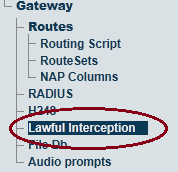
1- Select Lawful Interception from the navigation panel
2- Enter an Indentifier for the Network Operator.
3- Create a Lawful Agency
- Click Create New Lawful Agency
4-

4-Configure the Lawful Aganecy parameters: