Using a spare unit: Difference between revisions
Nicole Tan (talk | contribs) No edit summary |
Nicole Tan (talk | contribs) No edit summary |
||
| Line 16: | Line 16: | ||
== Choose Your Maintenance Procedure == | == Choose Your Maintenance Procedure == | ||
*[[Replace_TMG3200_Standalone_With_Spare|Replace a TMG3200 Standalone unit]] | *[[Replace_TMG3200_Standalone_With_Spare|Replace a TMG3200 Standalone unit]] | ||
*[[Replace_TMG3200_1+1_With_Spare|Replace a TMG3200 1+1 System] | *[[Replace_TMG3200_1+1_With_Spare|Replace a TMG3200 1+1 System]] | ||
Revision as of 17:09, 24 February 2015
Preparation
- Prior to replacing hardware, you must have the following:
- A license key
 log in https://licenses.telcobridges.com/with your account id and password provided by TB Support.
 Click "Activate Spare"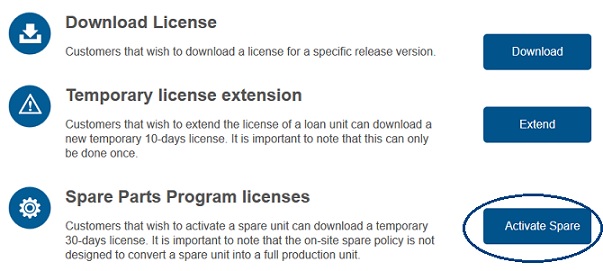

To learn more about how to obtain a license key, refer to: http://docs.telcobridges.com/mediawiki/index.php/Support:License_server
- A backup of your system settings
To learn more about how to a database backup https://docs.telcobridges.com/tbwiki/Toolpack:Database_Backup_B
Note: The database backup should be done and stored at a safe place regularly