|
|
| Line 28: |
Line 28: |
|
| |
|
| <div id="Package Upgrade"> | | <div id="Package Upgrade"> |
|
| |
| ==Statistics==
| |
| {| cellpadding="5" border="1" class="wikitable"
| |
| |-
| |
| ! width="200" style="background: none repeat scroll 0% 0% rgb(239, 239, 239); -moz-background-inline-policy: continuous;" | Configuration
| |
| ! width="200" style="background: none repeat scroll 0% 0% rgb(239, 239, 239); -moz-background-inline-policy: continuous;" | Profile
| |
| ! width="200" style="background: none repeat scroll 0% 0% rgb(239, 239, 239); -moz-background-inline-policy: continuous;" | Graphs
| |
| |-
| |
| | valign="top" |
| |
| *
| |
| | valign="top" |
| |
| *
| |
| *
| |
| | valign="top" |
| |
| *
| |
| |}
| |
|
| |
| ==Audit Logs==
| |
| {| cellpadding="5" border="1" class="wikitable"
| |
| |-
| |
| ! width="200" style="background: none repeat scroll 0% 0% rgb(239, 239, 239); -moz-background-inline-policy: continuous;" | Audit Logs
| |
| |-
| |
| | valign="top" |
| |
| *
| |
|
| |
| |}
| |
Revision as of 15:08, 12 February 2015

General System Status View
The Web Portal configuration tool presents a general view of system status.
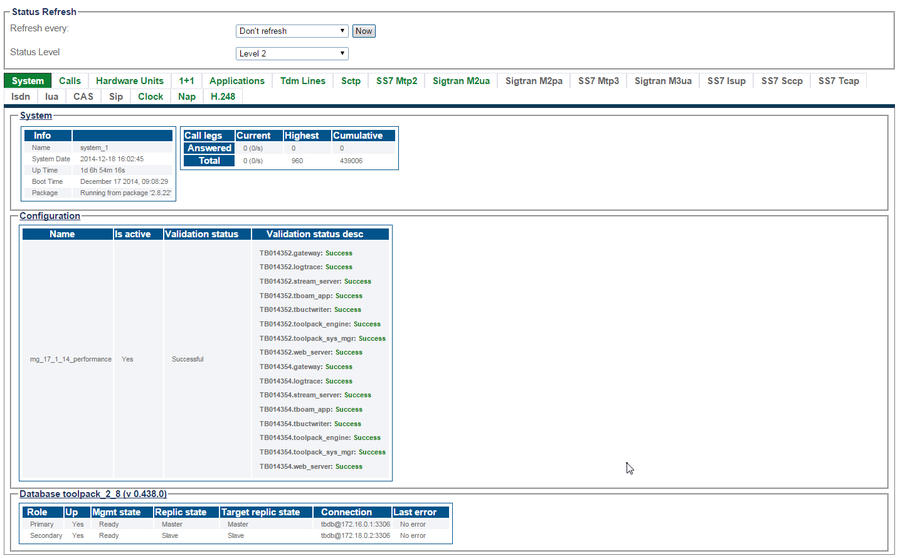
Selecting a specific tab, provides a detailed status view.

The following sections in this article describe status about the following:
SNMP


